
Technology
Where should the AI video analytics “BRAIN” sit?
The three places AI processing can live, on the camera, on an edge device, or on a server, five questions that decide which one fits, with VCA, Vaidio, and Nx Witness as examples.
A camera can record around the clock. A person cannot watch a screen around the clock.
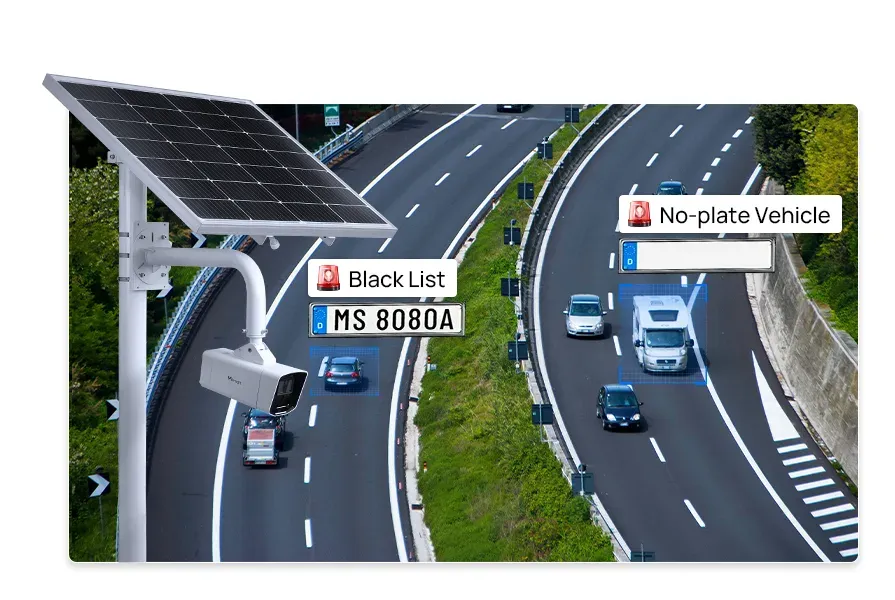
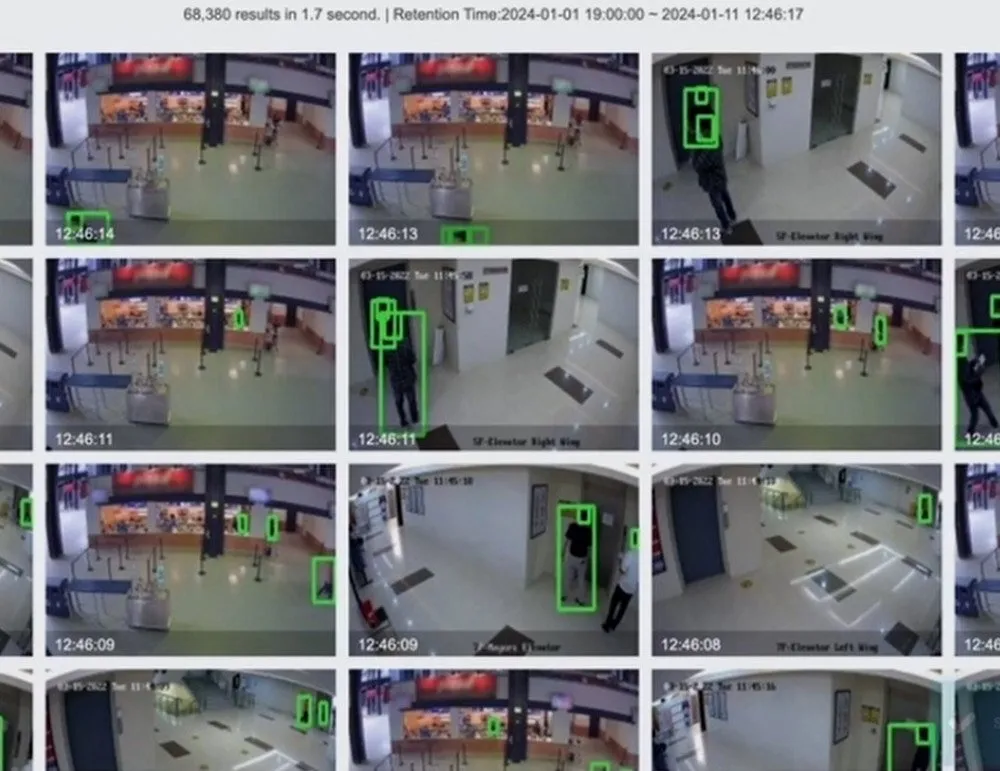
That gap is what AI video analytics closes. It detects people, vehicles, movement, and suspicious behaviour in camera video and raises an alert on its own. Instead of watching hours of recording from beginning to end, an operator can find the moment that matters in minutes.
But before asking “which cameras should we buy?”, there is one question worth settling first.
Where will the AI processing run?
On the camera? On a separate edge device? Or on a central server?
That single choice shapes the speed, the cost, the reliability, the network load, and how far the system can grow later.
Three rows. Each box names whether it stands at the site or centrally. One: an AI camera at the site runs the analytics on board and sends only detected events and metadata to the central VMS. Two: cameras at the site send video over the local network to an edge device, also at the site, which processes it and passes only events to the central VMS. Three: cameras at the site send every stream to a GPU server, which sits centrally, next to the VMS.
Why does the location matter?
From the outside, every AI video analytics system looks the same. The camera captures video, the AI analyses it, an alert goes out when something happens.
In practice, where the processing happens changes the result considerably.
How quickly does the alert arrive?
At a door, a gate, a car park, a warehouse, or a production area, a few seconds of delay can matter. The closer the processing sits to the camera, the less video has to travel, and the sooner the alert appears.
How much network does it take?
Streaming high-resolution video from many cameras to a central server or to the cloud continuously takes a great deal of bandwidth.
Analyse the video on the camera or on an edge device instead, and only the detected events, the relevant clips, and the metadata need to travel to the central system.
Does it keep working if the link drops?
On some sites, core protection cannot stop just because the internet or the link to the central server is down. Analytics that run on the camera or on an edge device keep detecting locally in exactly that situation.
How many cameras will there be later?
What suits five cameras is not automatically efficient at 500. As the count grows, so do processing capacity, storage, network, licensing, and the cost of administering it all.
So asking “which AI features do we need?” is only half the question. “Where will those features run?” belongs in the same conversation, at the start of the project.
How to choose the option that fits
There is no single architecture that suits every organisation. Five questions get you most of the way to an answer.
1. Are you keeping the cameras you have?
On a new build, choosing AI-capable cameras from the start can be the cleanest route.
If you already run a fleet of IP cameras, there is no need to replace them. AI can be added to them through an edge device or a server platform.
2. How many cameras need processing?
On a small site with few cameras, analytics running on the camera itself is simple and fast.
Across many branches and buildings, or with hundreds of cameras under one management, a central server or a hybrid architecture fits better.
3. What kind of analysis do you need?
Motion detection, line crossing, and alerts on entry into a restricted zone can all run on the camera.
Finding a particular person or vehicle across the recordings of many cameras, or combining face and plate recognition data, needs more compute and central management.
4. How fast does the response have to be?
If a guard must be told the moment something happens, camera-level or edge-level processing suits better.
If the work is searching recordings afterwards, producing reports, and comparing what several cameras saw, a server-side solution is more flexible.
5. What are the privacy requirements?
In banks, government bodies, and some industrial sites, camera video may not leave the internal network at all.
There, analytics on the camera, an edge device inside the network, or an on-premises server is the answer.
Option 1. Analytics on the camera
Here the AI processing happens on the camera's own processor. The camera does not just capture video, it analyses it and passes the detected events on to the monitoring system.
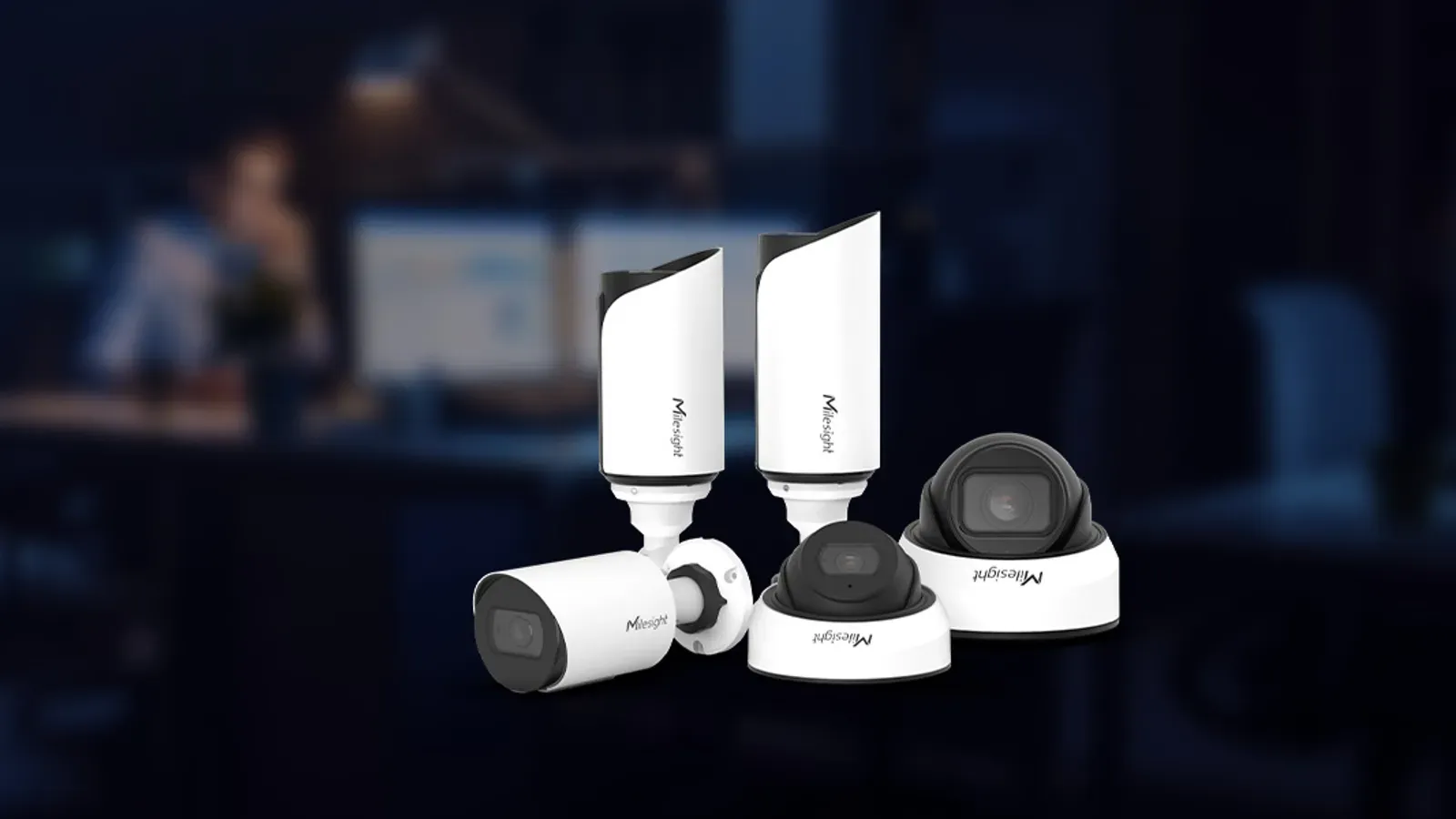
Take VCA Technology's IPAi cameras as an example. They run video analytics, face recognition, and plate recognition on the camera itself. Inside, three deep-learning trackers, trained separately for people, objects, and body movement, tell leaves, shadows, and animals apart from people and vehicles, so false alarms drop.
The detection logic runs on the camera too. Fifteen built-in rules for zones, lines, direction, and dwell can be combined with AND, OR, and PREVIOUSLY logic, so you can alert only when two lines are crossed in a particular order.
The IPAi range runs from 5 to 12 MP in bullet, dome, fisheye, pinhole, multi-sensor, and thermal forms. The cameras can also run Nx Witness Edge on board, so on a small site the camera takes on the VMS role and works without a separate server.
Strengths
- Alerts arrive quickly
- Network load stays low
- The central server has less to process
- Each camera keeps working to a degree on its own
Things to weigh
- Existing plain cameras may have to be replaced
- A camera's compute headroom is limited
- Bringing many cameras' data together may still need a platform
Who it suits
New systems, a moderate number of cameras, and sites where real-time detection is the point.
Plays from YouTube. Pressing play connects you to {provider}.
Option 2. Analytics on an edge device
An edge device is a compact unit that takes video from the cameras on site and does the AI processing there. It sits between the cameras you already have and the central system.
Put another way: it adds an “AI brain” to your old cameras without replacing them.
VCA's AI Bridge is a concrete example. The ABP301 handles 8 channels and the ABP302 handles 12, passing detected events and metadata to the monitoring system in real time. Your existing IP cameras stay exactly where they are; only the brain is new.
Two practical advantages
One: no large GPU purchase to get started. Demand for AI has made GPUs both expensive and hard to get hold of. An edge architecture spreads the analytics across small purpose-built devices instead, so a project does not have to begin by assembling a GPU server. Start with one device at one site, see what it gives you, and add the next where it is needed — the cost is predictable and it arrives in small steps.
Two: the monthly bandwidth bill does not grow. Because the analysis happens at the site, there is no need to stream every camera continuously to a central room or to the cloud. Only the detected events, the short clips that go with them, and the metadata cross the network. At remote branches, mining sites, roadside installations, and border facilities, where bandwidth is limited and expensive, that is often the deciding factor.
Strengths
- The cameras you have keep earning their place
- Video is processed quickly, on site
- The central server and the network both carry less
- The system can be modernised in stages
Things to weigh
- Camera counts have to be planned against each device's channel capacity
- Across many branches, every device needs managing and updating
- There is extra hardware and installation cost
Who it suits
Organisations adding AI without replacing cameras, and remote branches where video should be processed locally.
Option 3. Analytics on a server
Here a central server takes video from many cameras and processes it. With enough capacity and GPUs, it can run several AI models at once and analyse what different cameras saw together.
On the VCA side, the VCAasp servers are built for this: the ASP501 handles up to 22 channels, the ASP502 up to 77, and the ASP503 up to 100, with support for VCAforensics, which searches for one person or one vehicle across the recordings of many cameras. VCAserver software can also be installed on your own Windows or Linux server.
Vaidio answers the same question from another angle, with a more centralised design. It is a Vision AI platform that adds AI analytics to the IP cameras and VMS you already have.
The idea behind its architecture is to virtualise the analytics as microservices. In the server world a hypervisor lets ten applications that once needed ten physical machines share one. Vaidio applies the same principle to video, letting many cameras share the resources of a single physical GPU. By Vaidio's own estimate, that virtualisation raises the number of cameras each physical GPU can carry by 3 to 12 times.
With GPUs both expensive and hard to source, that is the strongest economic argument for the centralised approach: fewer GPUs, more channels.
- 21
- ready AI enginesvaidio.ai
- 1,000+
- AI applicationsvaidio.ai
- < 2 s
- to search the archivevaidio.ai
- 30+
- VMS integrationsvaidio.ai
Security analytics such as intrusion, falls, loitering, left objects, PPE, smoke, and fire sit alongside face recognition, plate recognition, heat maps, and people-flow data on one platform.
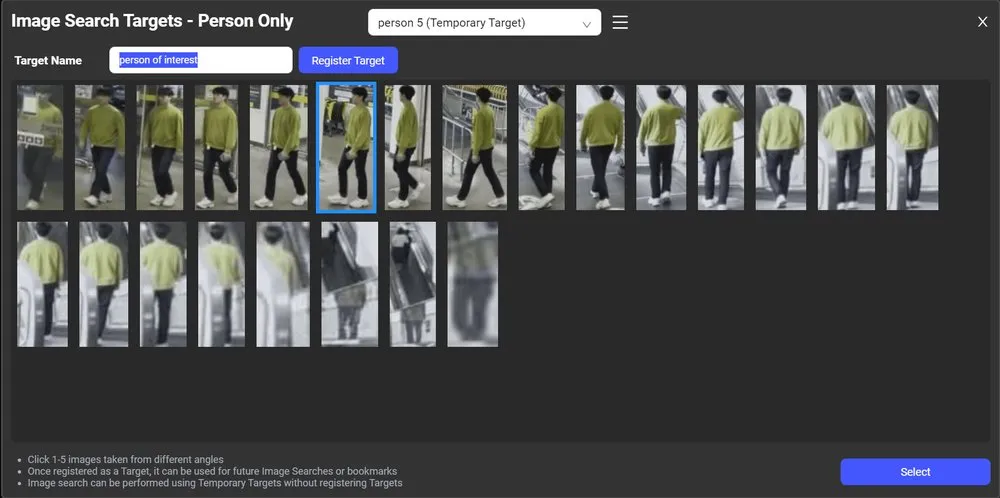
Its strongest suit is search speed: thousands of hours of recording can be searched in under two seconds, by object, by attribute, or even by a plain sentence, and people and vehicles can be followed across cameras. Vaidio runs on-premises, at the edge, in the cloud, or hybrid, so an organisation with strict privacy requirements can keep the video inside its own network.
Strengths
- Many cameras are managed from one place
- Heavier, more detailed analysis becomes possible
- Archived recordings become genuinely searchable
- Adding new analytics and growing the system stays flexible
Things to weigh
- Server, GPU, storage, and licensing costs have to be budgeted
- Network capacity needs planning
- If the central server falters, many cameras' analytics are affected at once
Who it suits
Larger organisations with many cameras and sites that need central management, detailed search, and consolidated reporting.
Where do the three meet?
Wherever the analytics run, one question remains: where does the operator see the events?
If camera analytics alert into one application, the edge device into another, and the server into a third, a guard ends up switching between three windows. It is a common mistake in practice.
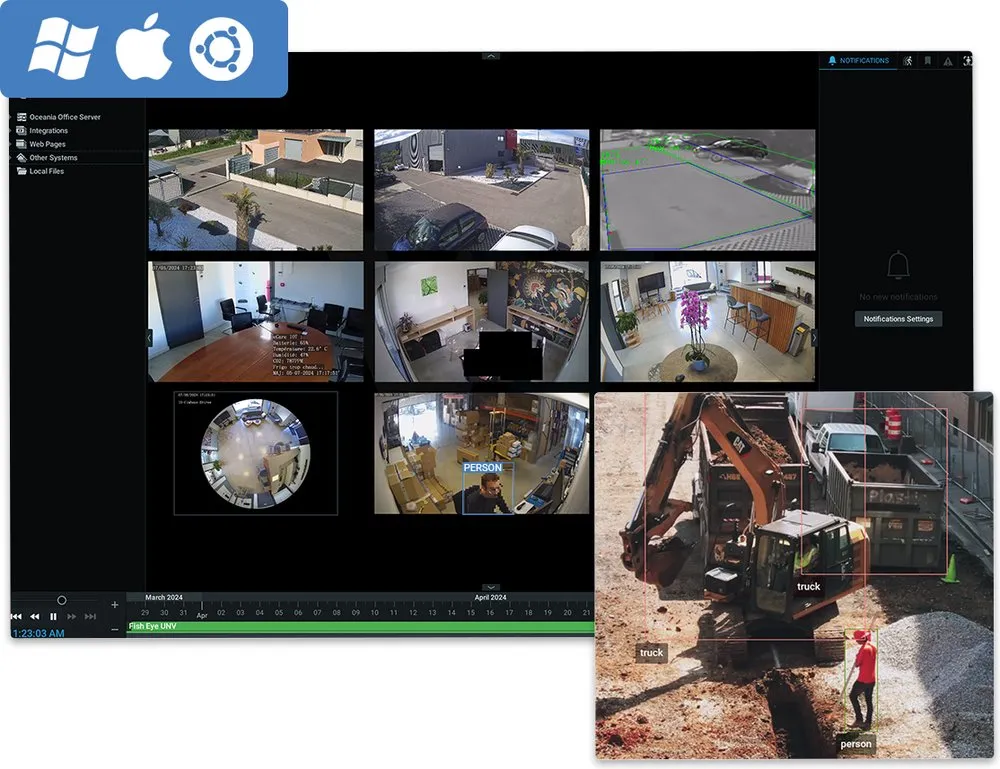
So a VMS layer is needed to bring the three together. Nx Witness does exactly that job: it is camera-brand independent, compatible with over 25,000 devices from more than 1,200 manufacturers, and records up to 256 streams on one server.
A line crossing detected on a VCA camera, an object classified on an AI Bridge, and a detailed result from a Vaidio server all land on one Nx Witness timeline, on one operator screen.
The practical benefit is that changing the architecture later does not change how operators work. Start with analytics on the cameras, add a Vaidio server afterwards, and nobody has to learn a new application. In Nx Witness Edge mode, the camera itself takes on that VMS role.
The three options, side by side
| What you need | The option that fits |
|---|---|
| A new system with fast alerts | Analytics on the camera |
| AI on the cameras you already have | An edge device |
| Central management of many cameras | Server-side analytics |
| Detailed search of archived video | Server-side analytics |
| Less load on the network | Camera or edge device |
| Video that never leaves the internal network | Camera, edge, or on-premises server |
| Several of these at once | A hybrid architecture |
Do you have to pick just one?
No. Real projects routinely combine them.
One chain. At the site: the camera detects basic motion and the edge device classifies objects. Centrally: the server searches across many cameras and the results meet on one Nx Witness screen.
That combination is what balances speed, cost, reliability, and room to grow.
In conclusion
AI video analytics is not judged by algorithm accuracy alone. Choosing where the analytics run decides the system's speed, its reliability, its total cost, and how far it can grow.
So do not start from product names and camera specifications. Start from these questions:
- What has to be detected?
- How many cameras will there be?
- How quickly must an alert arrive?
- Where will the video and the data be kept?
- Is the existing infrastructure staying?
The point
Running it in the right place
Once those answers are clear, whether the AI “brain” belongs on the camera, on an edge device, or on a central server becomes clear as well.
Choosing the right AI matters. Running it in the right place matters just as much.
Let's work out together which option fits your site. Get in touch.